PDF Books
ActiveImport the whole file, use generated page ranges when TOC is weak, or define custom ranges before exporting PDF or Markdown.
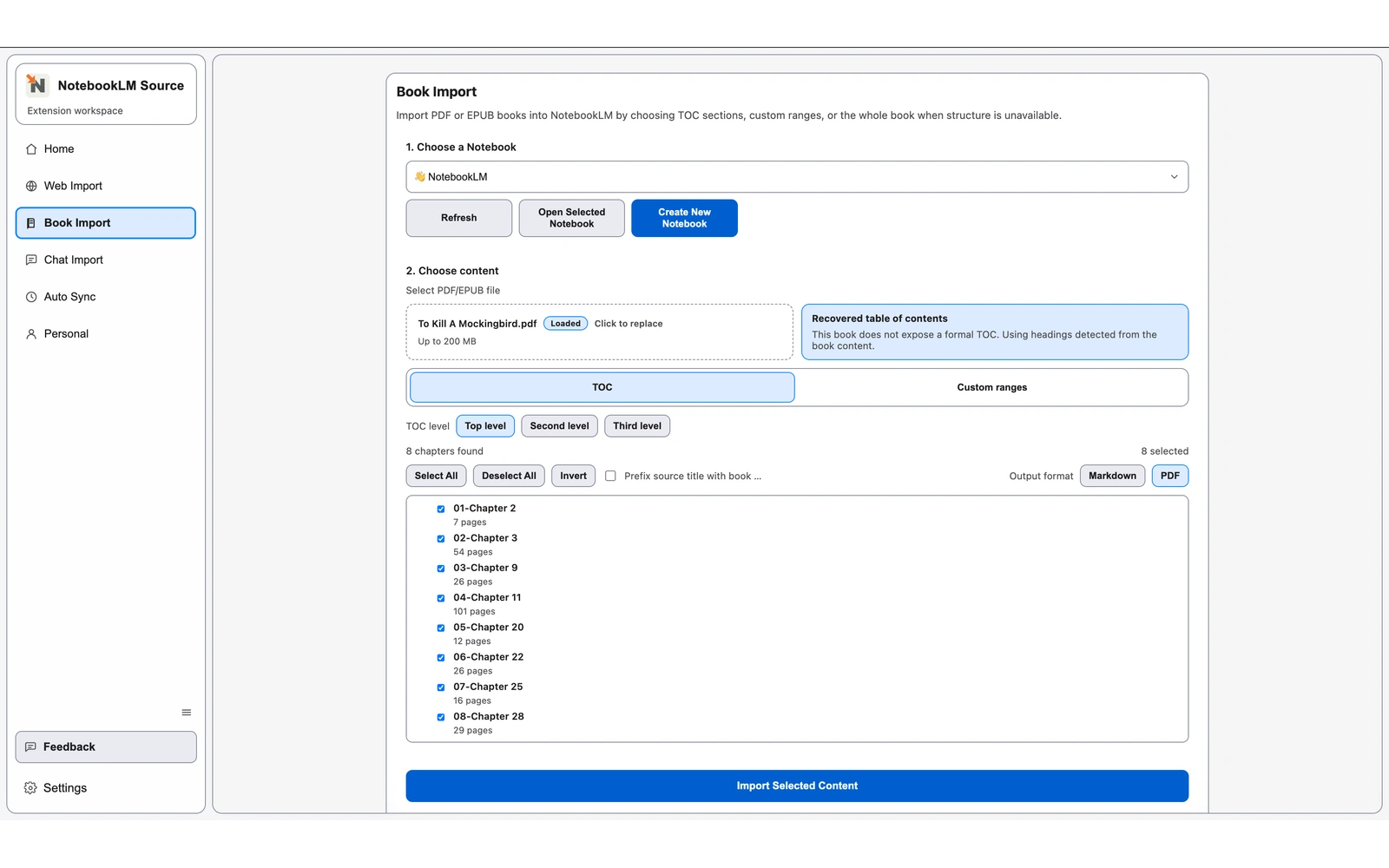
Install the Chrome extension, choose a notebook, upload a PDF or EPUB, decide between whole-book, chapter-tree, or custom-range import, then send PDF or Markdown sources to NotebookLM.
Import the whole file, use generated page ranges when TOC is weak, or define custom ranges before exporting PDF or Markdown.
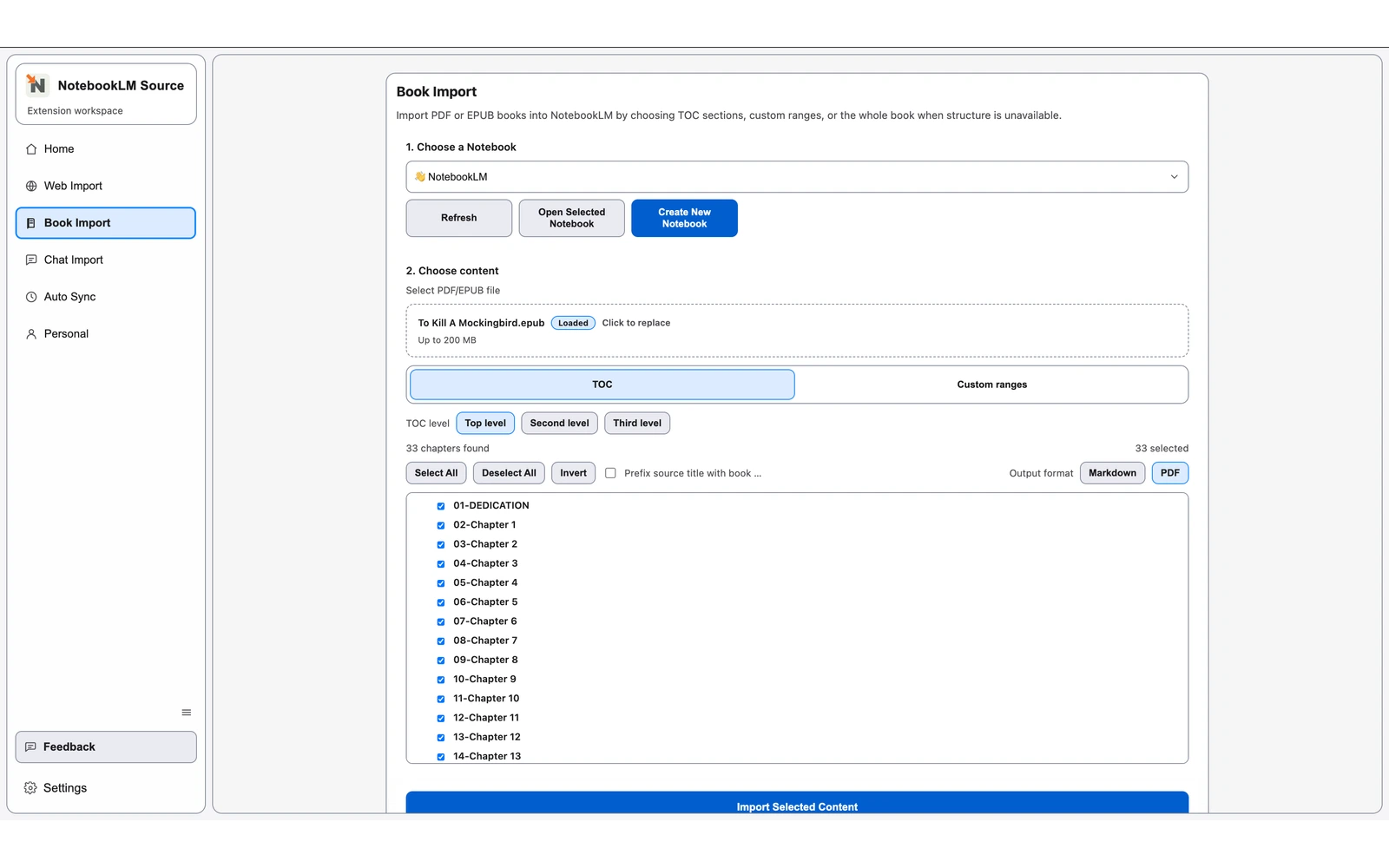
Import the whole EPUB or select chapters from the tree, with TOC recovery and PDF or Markdown output.
Continue with closely related pages in the same topic cluster.
Import a whole PDF, use generated page ranges, or split custom ranges before exporting PDF or Markdown sources.
Import the full EPUB or selected chapters with TOC recovery plus PDF or Markdown output.
Export NotebookLM conversations to reusable files, starting with searchable PDF output.
Open the complete directory to discover more indexable pages.