Web Import to NotebookLM
YouTube
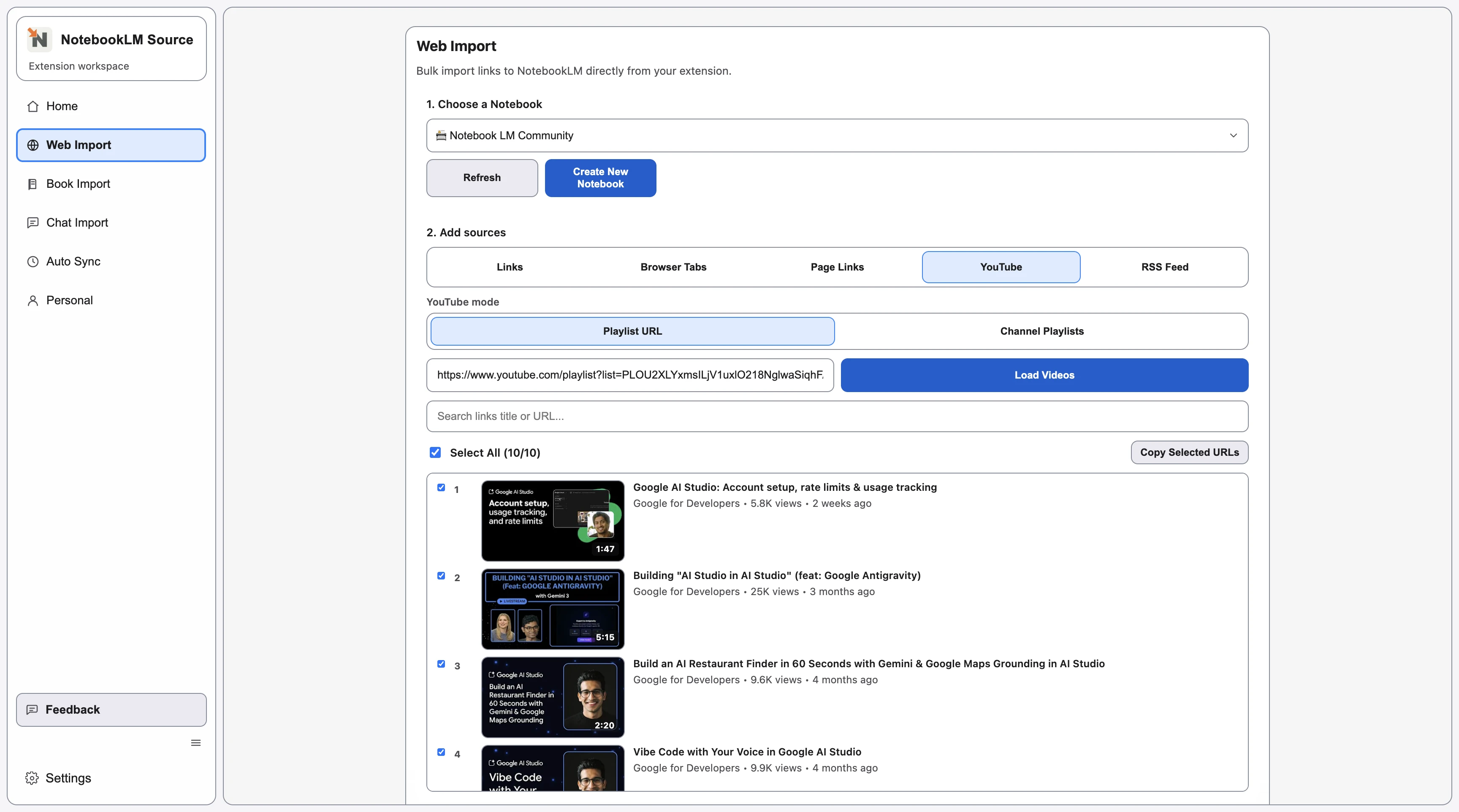
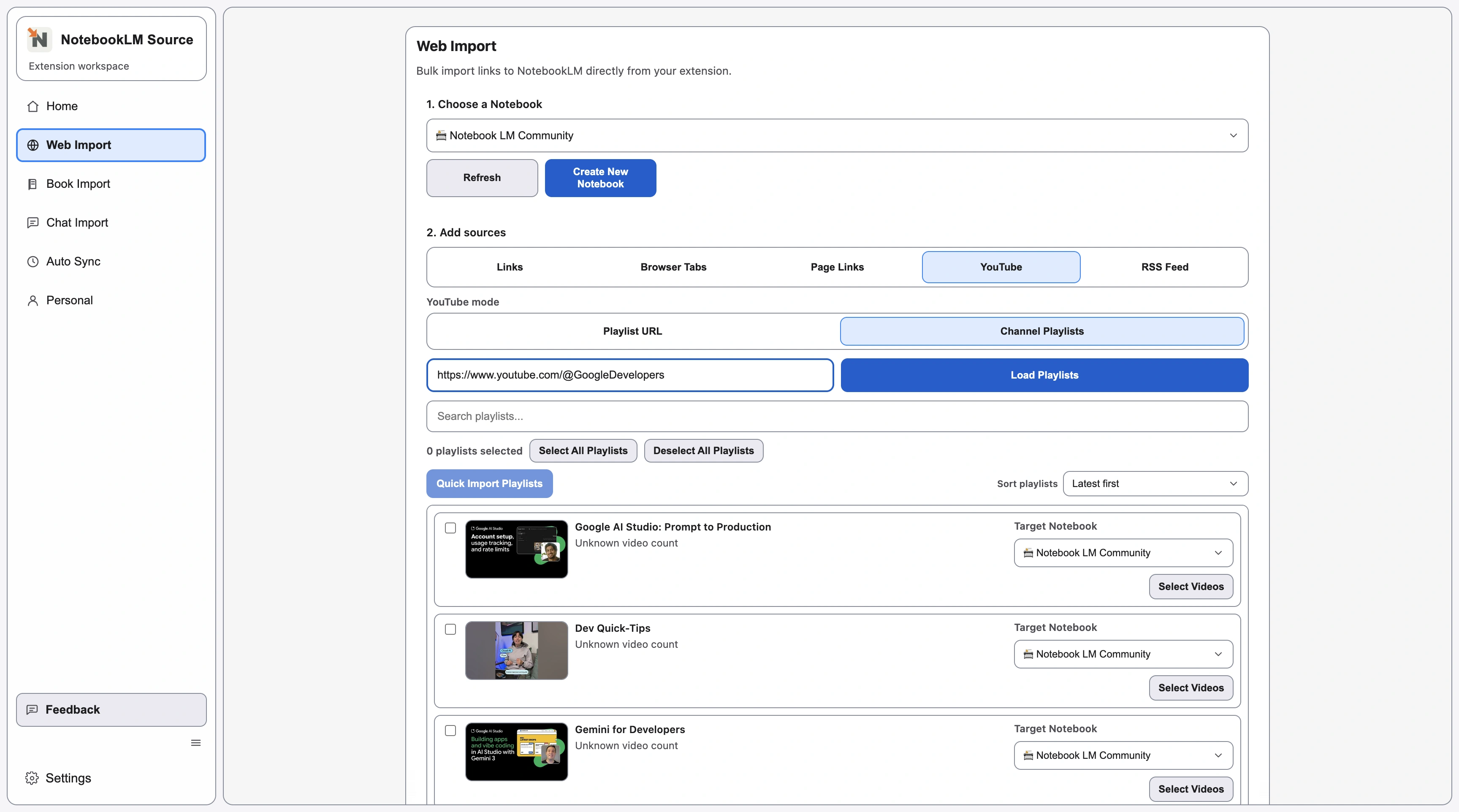
ActiveUse YouTube mode to pull channel playlists or a direct playlist URL.
- 1
Choose YouTube mode and target notebook.
- 2
Load playlists from a channel or a playlist URL.
- 3
Select playlists or videos and start import.
Related Pages
Continue with closely related pages in the same topic cluster.
- Web Import Overview for NotebookLM
Start with the full overview of NotebookLM web source import types.
- Import NotebookLM Sources from URL Links
Batch import direct URLs into NotebookLM with the Links import mode.
- Import from Browser Tabs to NotebookLM
Capture already-open tabs and send selected pages into NotebookLM.
- Extract Page Links for NotebookLM Import
Parse an index page and import selected links into NotebookLM.
- RSS Feed Import for NotebookLM Sources
Parse RSS entries and import selected updates into NotebookLM.
- Browse Full Directory
Open the complete directory to discover more indexable pages.